Rename a folder in your Data Store
Draft: not yet validated
These steps were followed once on the live portal on 2026-11-13, by the AI assistant that drafted them, on a folder and then on a file. Tell us what you find.
You will: have a folder with a new name, and know what else the change affects.
Time: 5 minutes. You need: to be signed in to the MESA Portal, and
a folder of your own to rename. Make a folder called draft if you
have none to spare.
Steps
-
In the sidebar, click Data Browser, then My Files.
You should see: a card for each of your folders, each with a ⋮ button at its right-hand end.
-
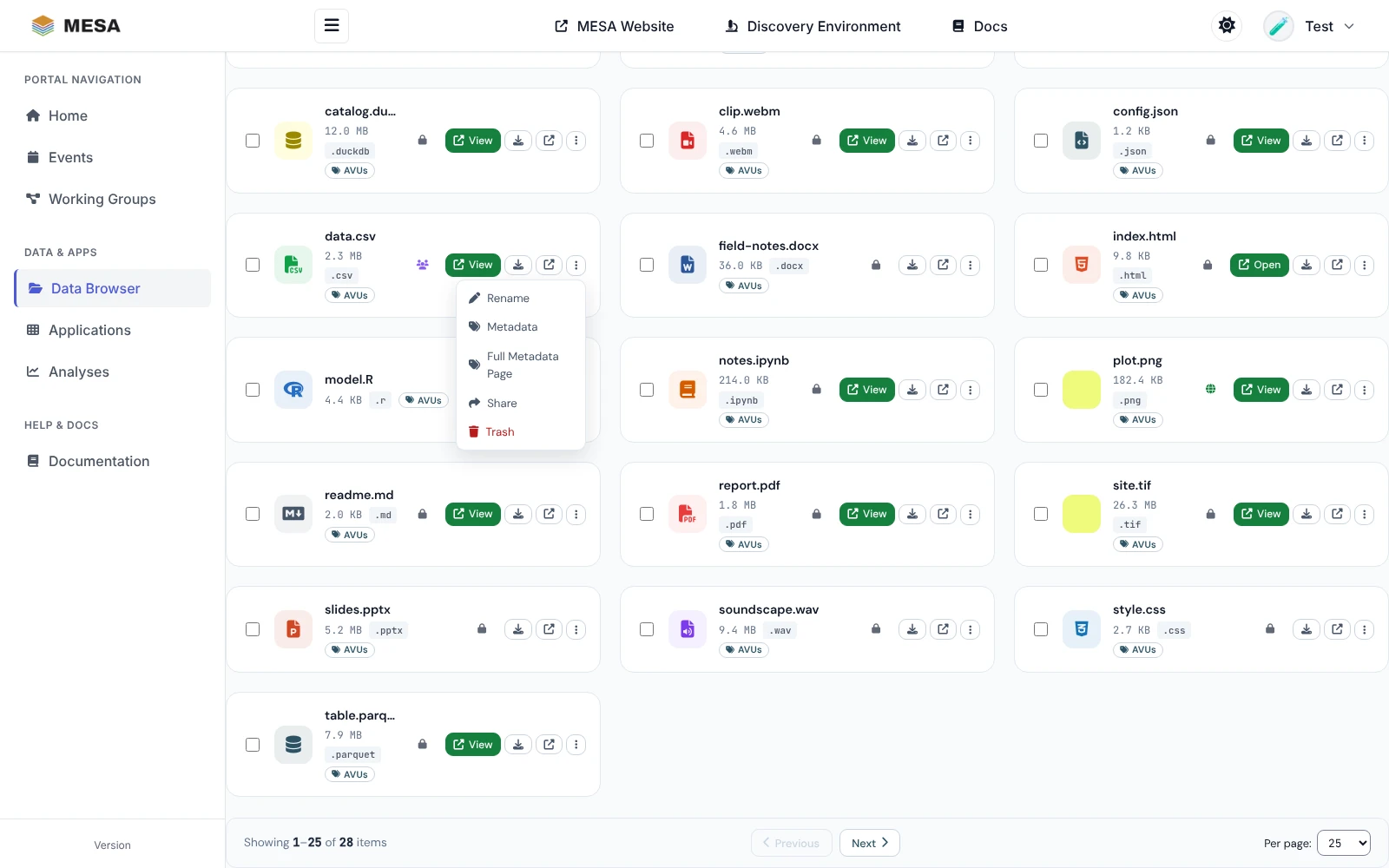
Click ⋮ on the folder's card.
You should see: a menu with Rename, Metadata, Full Metadata Page, Share, and Trash.
-
Click Rename.
You should see: a Rename window with a New name box. The present name is in the box and already selected. A file is renamed the same way; for a file, only the part before the ending (such as
.ipynb) is selected, so the ending stays. -
Type the new name, for example
rain-2026. Use lower-case letters, numbers, and hyphens.You should see: your text replace the old name.
-
Click Rename.
You should see: the notice Renamed successfully at the top right, and after a few seconds the card under its new name.
-
Click the folder's new name to open it, and read the path under its name in the header.
You should see: the path end in the new name.
Check it worked
The path in the folder header ends with the name you typed:
/iplant/home/<your username>/rain-2026
If it didn't
The card still shows the old name. The listing can lag behind the change. Wait a few seconds and reload the page.
There is no ⋮ button, or no Rename in the menu. The folder is not yours. Click My Files and look there.
Next
- A rename changes the path. Any notebook or script that reads from the old path must be changed to the new one, so rename early, before you write code against a folder.
- Move folders into another folder
- Reference: Managing data, "Upload, create, move, and delete".
Not yet validated by a person. Drafted with AI assistance on 2026-11-13 and followed once on the live portal that day.
Machine-readable versions of this page: Markdown twin · raw source on GitHub · llms.txt · llms-full.txt (whole site). See For AI agents.