MESA Portal overview
The MESA Portal at https://mesa.cyverse.org is the web front end of MESA. It puts your CyVerse Data Store files, the CyVerse Discovery Environment (DE) apps, and your running analyses on one site, with the MESA featured apps one click away1. You need nothing installed: a browser and a CyVerse account are enough.
Everything you do in the portal acts on your own CyVerse account. Files you upload land in your Data Store home folder, and analyses you launch appear in the Discovery Environment too, and the other way round. The portal is an alternative view on the same account, not a separate copy.
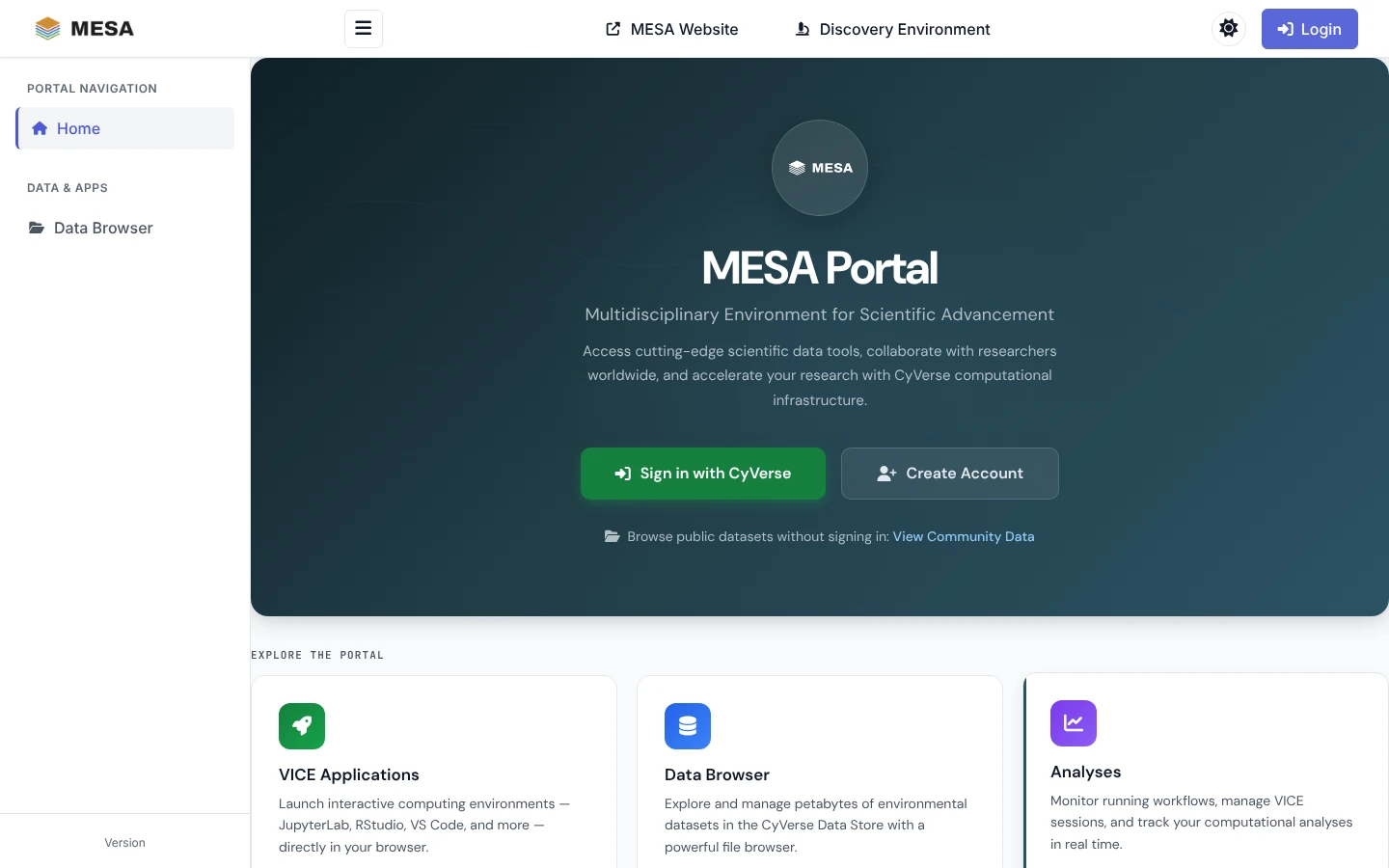
About the screenshots
The screenshots in this section show the portal with sample data (a user called
testuser and a NEON field-site folder). Your own files, apps, and analyses appear in
their place.
Sign in
The portal uses CyVerse single sign-on.
- Open https://mesa.cyverse.org.
- Click Sign in with CyVerse (or Login in the top bar).
- Enter your CyVerse username and password on the CyVerse sign-in page.
- You return to the portal on your dashboard.
No CyVerse account yet? Click Create Account, or register at https://user.cyverse.org3. Registration is free.
On your first sign-in the portal creates your portal profile, links it to your CyVerse account, and reads your CyVerse team memberships and resource quotas.
What works without signing in
You can look around before you sign in:
| Page | Signed out | Signed in |
|---|---|---|
| Data Browser | Community and Public data, read only | Also My Files, Shared, and User Shared, with upload, sharing, and metadata editing |
| Applications (open https://mesa.cyverse.org/applications/) | The public MESA Apps, Featured Apps, and Browse All Apps (with search) | Every section, plus launching |
| Analyses | — | Your analyses |
Signed out, the sidebar lists only Home and Data Browser; the landing page's View Community Data link opens the MESA community folder.
Find your way around
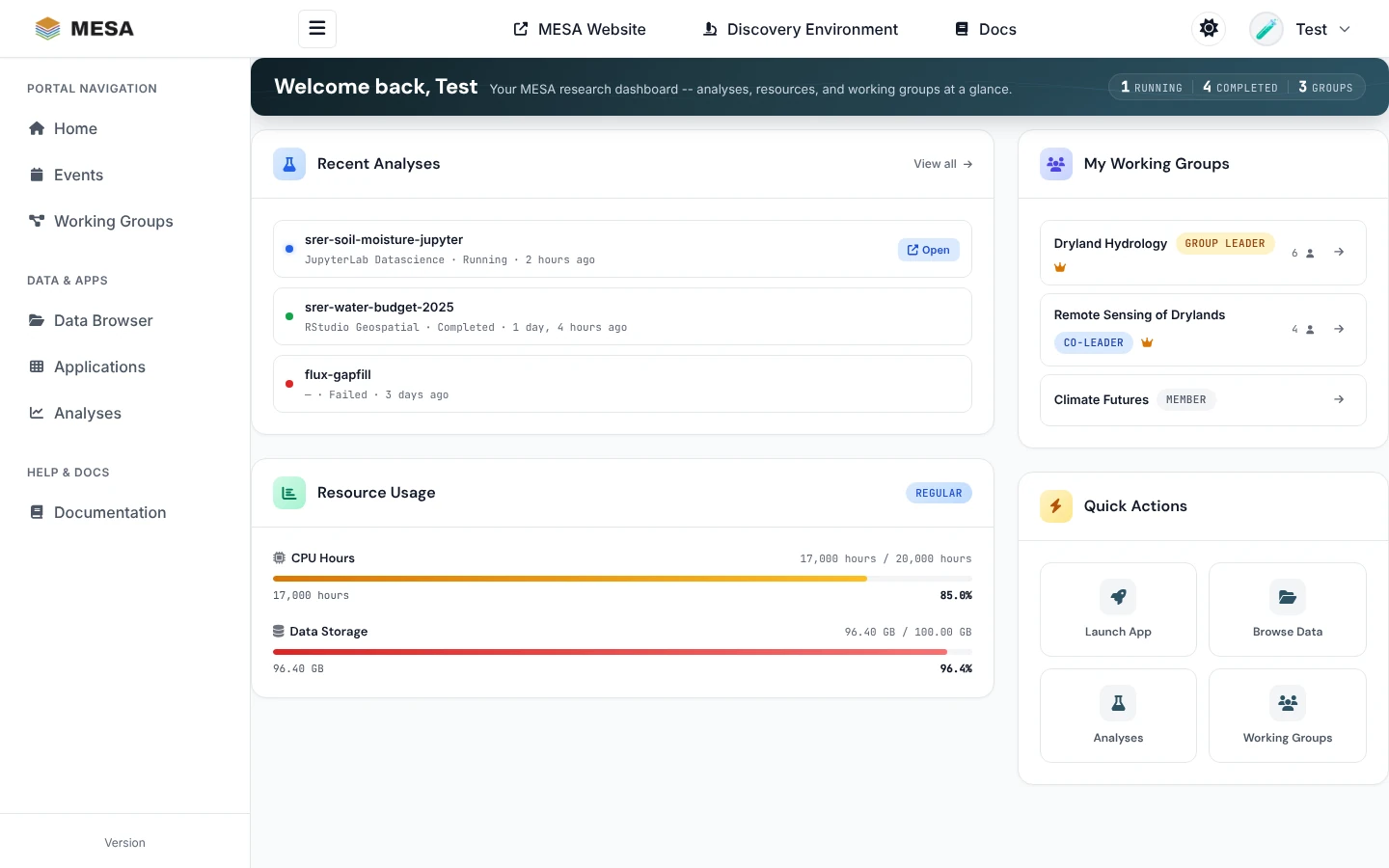
The sidebar on the left groups the pages:
| Section | Pages |
|---|---|
| Portal navigation | Home (your dashboard), Events (workshops and seminars), Working Groups (MESA research groups you can join) |
| Data & Apps | Data Browser — see Managing data; Applications — see Starting applications; Analyses — see Managing analyses |
| Help & Docs | Documentation — the portal's own user guides (signed-in users) |
The top bar links to the MESA website, the Discovery Environment, and these docs, and holds the theme switch and your user menu (profile, settings, quotas, sign out). On a phone or tablet the sidebar folds into the ☰ menu button.
Dashboard
Home is your dashboard. It shows, at a glance:
- Recent Analyses: your latest analyses with their status. A running interactive app has an Open link; View all goes to the Analyses page.
- Resource Usage: CPU hours and Data Store space used against your CyVerse quota.
- My Working Groups: the MESA working groups you belong to and your role in each.
- Quick Actions: shortcuts to launch an app, browse data, check analyses, and open working groups.
Light, dark, or automatic theme
Click the theme button in the top bar to cycle Light → Dark → Auto. Auto follows your operating system's setting. You can also choose a theme under Settings in the user menu. Your choice is kept in your browser.
The portal, the apps, and the MCP stack
MESA offers three ways in to the same CyVerse account:
| Way in | Best for | Start here |
|---|---|---|
| MESA Portal (this section) | Browsing and sharing data, launching apps, and watching analyses from a web browser | https://mesa.cyverse.org |
| Featured apps | Working in JupyterLab, RStudio, VS Code, a terminal, or a full Linux desktop in the cloud, with AI coding agents already set up | Featured apps |
| MESA MCP stack | Driving the Data Store and the Discovery Environment from an AI agent on your own computer | Quickstart |
Getting help
- Something in the portal not working? See the troubleshooting notes at the end of Managing data, Starting applications, and Managing analyses.
- Signed-in users can read the portal's own user guides from Documentation in the sidebar2.
- CyVerse service status and support: https://status.cyverse.org and https://user.cyverse.org/support.
-
MESA Portal, https://mesa.cyverse.org/. ↩
-
MESA Portal documentation, https://mesa.cyverse.org/docs/ (sign-in required). ↩
-
CyVerse user portal, https://user.cyverse.org. ↩
Machine-readable versions of this page: Markdown twin · raw source on GitHub · llms.txt · llms-full.txt (whole site). See For AI agents.